
A net is everything that is connected together: one pin, the wires and labels on it, and later the tracks. A net class gives a group of nets the same track width and clearance.
Why width matters#
A track is a thin strip of copper. The more current it carries, the warmer it gets, so supply tracks must be wider than signal tracks. Rough rule for the usual 1 oz copper:
| Current | Track width |
|---|---|
| signals | 0.2–0.25 mm |
| 1 A | 0.3 mm |
| 2 A | 0.8 mm |
| 3 A | 1.4 mm |
Ground is best done as a pour, not a track. The full table and the reasoning are in track width.
Suggestions#
After Update PCB the app estimates the current of each net from the parts on it (USB-C, regulators, MOSFETs, LED connectors…) and suggests classes such as Power_2A. The card opens by itself when it has something to suggest. Apply changes them all in one undo step; Not now keeps your settings.
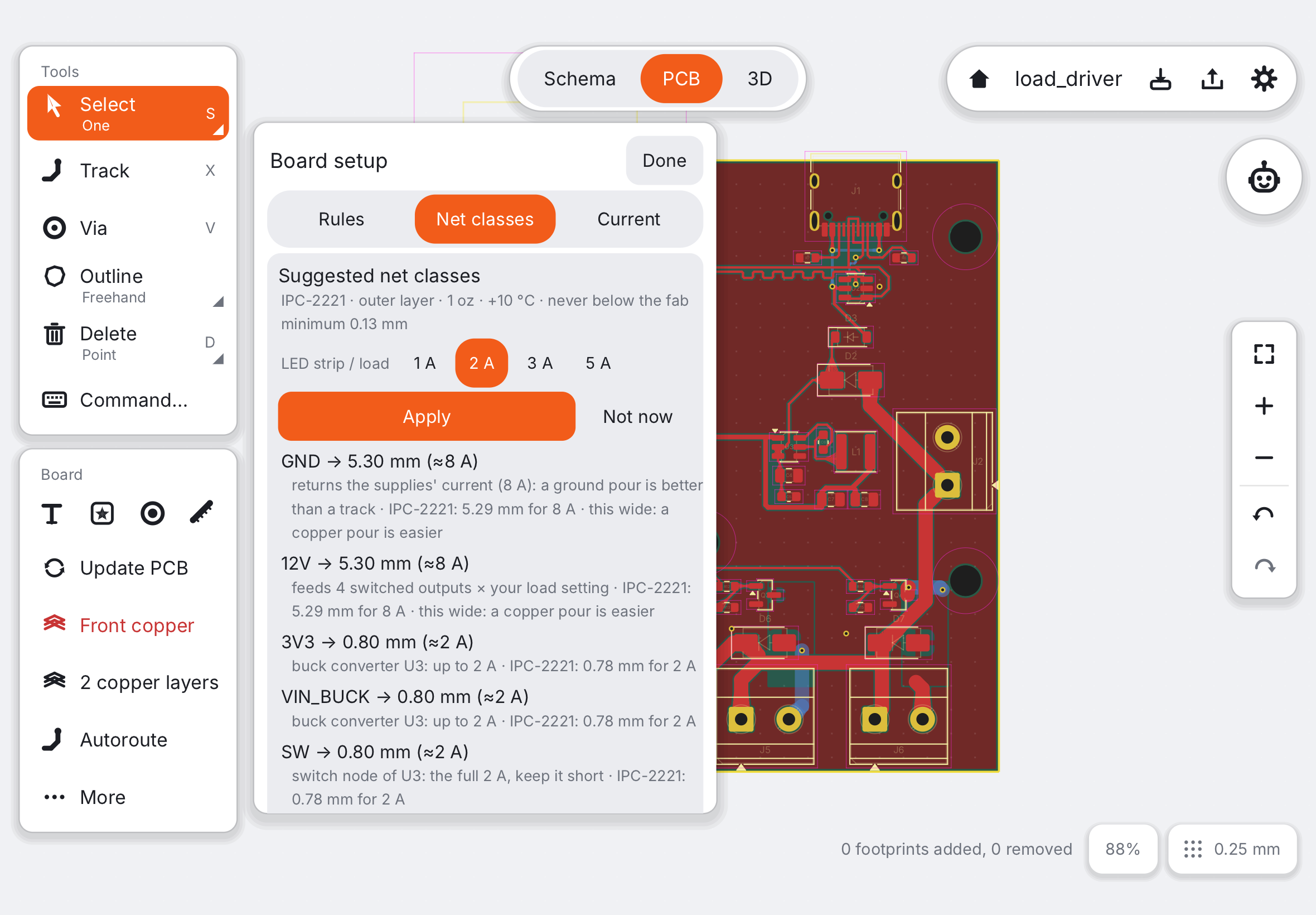
Suggestions only widen tracks and never touch a net you assigned yourself.
Setting classes yourself#
Open Board setup in the PCB column and the Net classes tab. Each class has a width and a clearance; assign nets to a class by name. Supply nets such as VCC, 5V, 3V3 and VBAT go to Power unless you choose otherwise. New tracks use their net’s width; the inspector of a selected track shows the suggestion for its net.
Pairs of equal length#
USB data lines (D+ and D−) should run together and be about the same length. The inspector warns when a pair differs, and Check rules shows it as a warning. For a USB keyboard or a sensor board this is forgiving; keep the two tracks side by side.
Next: Ordering at JLCPCB.