Built for Pencil
Draw it. It understands.
Draw resistors, capacitors, diodes, LEDs and wires by hand. Your ink stays ink until you tap Recognize; then it becomes real parts and connections. When the app is unsure, it asks instead of guessing.

iPad and Mac · TestFlight beta soon
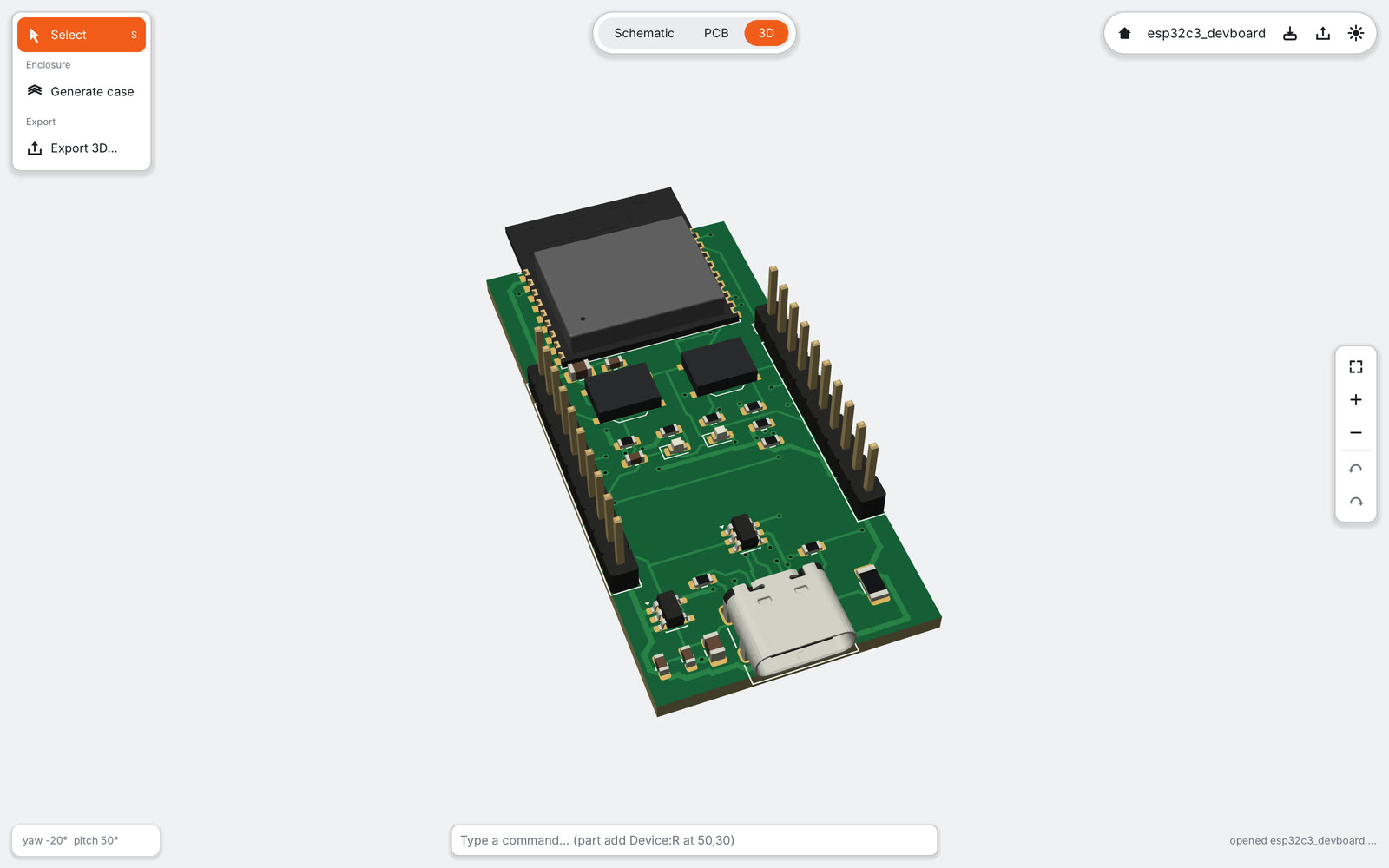
Circuit boards, designed on iPad. Built for Apple Pencil, from the first sketch to files a factory can build.
PCB Canvas comes to iPad and Mac together. A TestFlight beta is coming soon: join the list and we send you an invitation.
Built for Pencil
Draw resistors, capacitors, diodes, LEDs and wires by hand. Your ink stays ink until you tap Recognize; then it becomes real parts and connections. When the app is unsure, it asks instead of guessing.
Autorouter
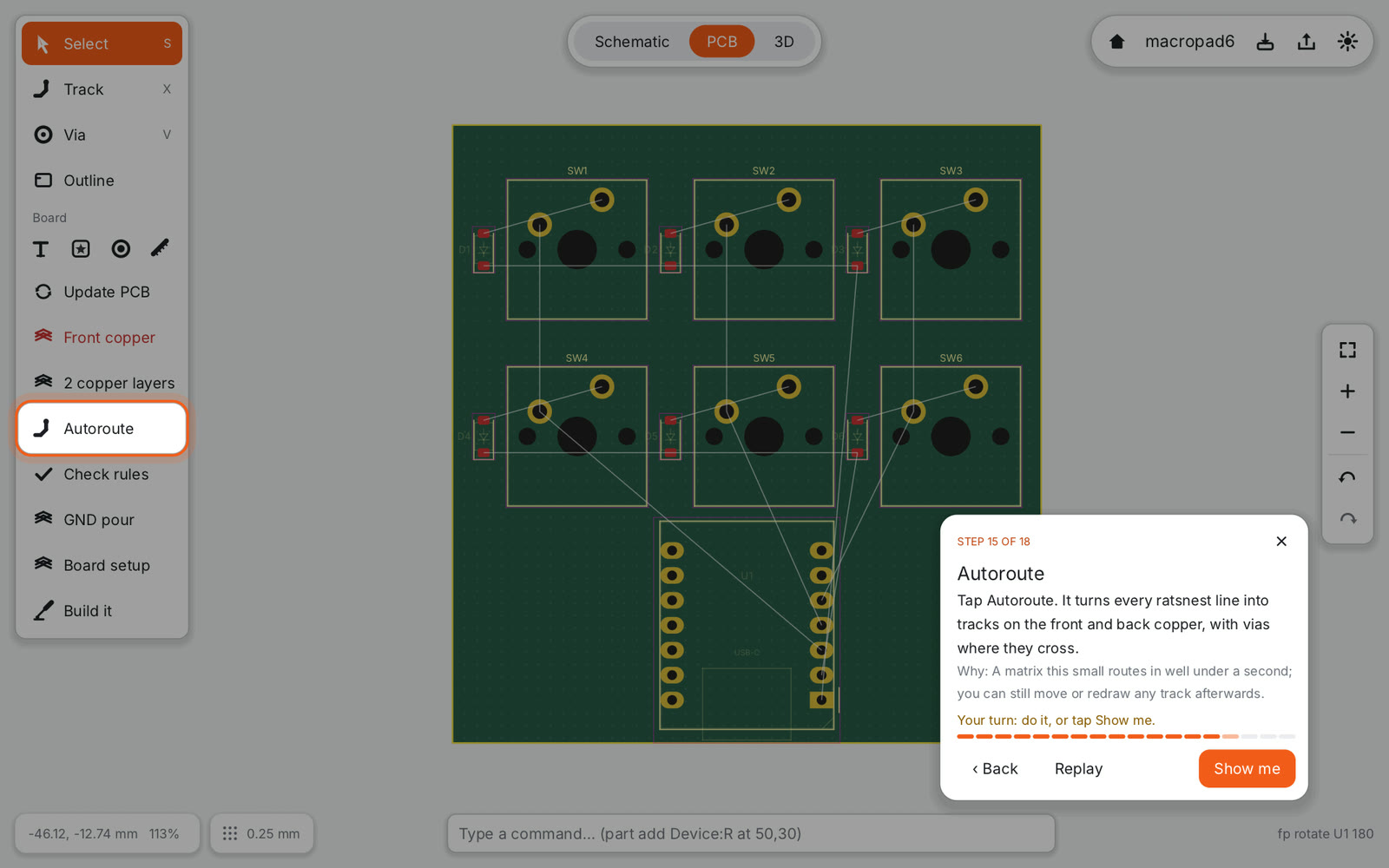
Tap Autoroute and every unrouted connection gets copper, right on the iPad. It respects your net classes, keeps USB pairs together and leaves room for the ground pour. The result is one undo step, and every track stays editable.

Circuit check
The circuit check reads part data and does the arithmetic: an LED resistor that is too small, a regulator that will run hot, a fuse with little margin. It shows the numbers and, where it can, a one-tap fix.

Tutorials
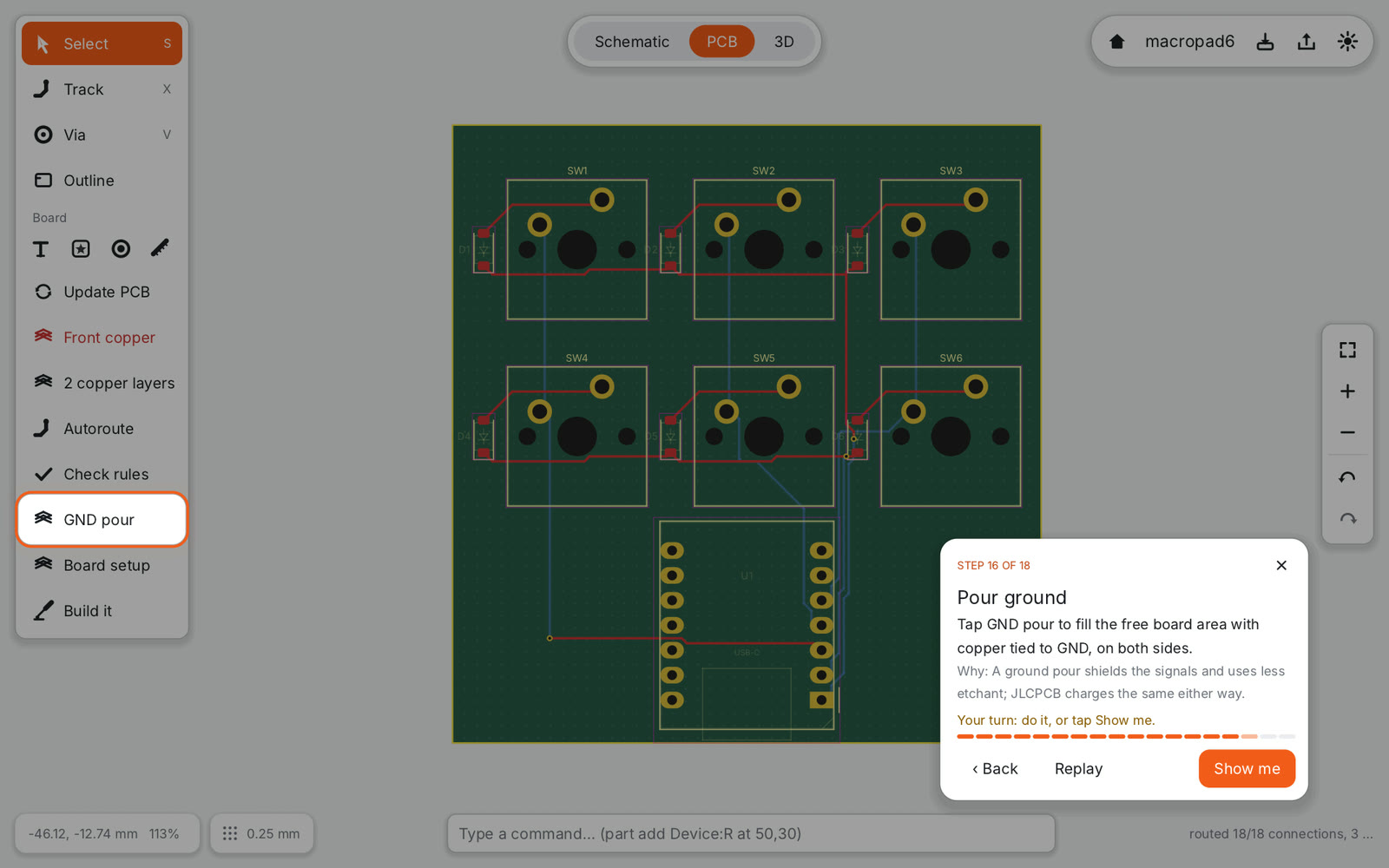
Your first board step by step, inside the real editor. The control to press is highlighted, Show me does the step for you, and the app checks your work before moving on.

No lock-in
Uses KiCad symbol and footprint libraries and exports a complete KiCad project whenever you want to continue on a desktop. Gerber, drill, BOM and placement files for JLCPCB come out in one tap, with an order review that shows the board as the factory will see it.

A free tier and a one-time Pro unlock. No subscription.
$0
Design, check and build your first board.
$29.99planned price at launch, one-time
Extra tools for people who make boards often.
Prices and the exact Free/Pro split are set at launch and may still change. Pro will be an In-App Purchase in the App Store (local prices and VAT by Apple); nothing is sold on this website. While the app is in testing, everything is unlocked. Pricing details
Any iPad with iPadOS 18 or later. Apple Pencil is recommended (hover, pressure and, on Pencil Pro, squeeze), but fingers work too. We develop on an iPad Pro and set our speed budgets for the entry-level iPad; if you have an older or smaller one, tell us your model when you sign up. There is no iPhone version yet.
Yes. Designing, checking and exporting work without a connection. The app goes online only to download library packs and, in the order review, to fetch JLCPCB part prices and stock.
PCB Canvas reads KiCad symbol and footprint libraries and exports a complete KiCad project (.kicad_sch, .kicad_pcb, .kicad_pro). Its own project file is plain text in the same S-expression style. PCB Canvas Pro also opens existing KiCad projects.
Your projects stay on your iPad or Mac; there is no account and the app uploads nothing by itself. Feedback is sent only when you tap Send feedback, through Mail. Read the privacy page.
A free tier and a one-time Pro unlock, planned at $29.99 at launch. No subscription for the app itself. See pricing.
The Mac version comes together with the iPad: mouse, trackpad and keyboard shortcuts for every tool, plus AI agents through MCP. Windows, Linux and Android may follow later.
A first ESP32-C3 board, an LED strip controller, a battery climate sensor and a 12 V load driver are ready as example projects; a CO₂ monitor is next.
Six keys, six diodes and a XIAO RP2040, from an empty schematic to a JLCPCB order in 18 steps. With the full tutorial video and subtitles.
A touch-first PCB editor for iPad and Mac. Draw with the Pencil, switch between schematic, PCB and 3D, use KiCad libraries and order from JLCPCB.