
Introducing PCB Canvas
A touch-first PCB editor for iPad and Mac. Draw with the Pencil, switch between schematic, PCB and 3D, use KiCad libraries and order from JLCPCB.
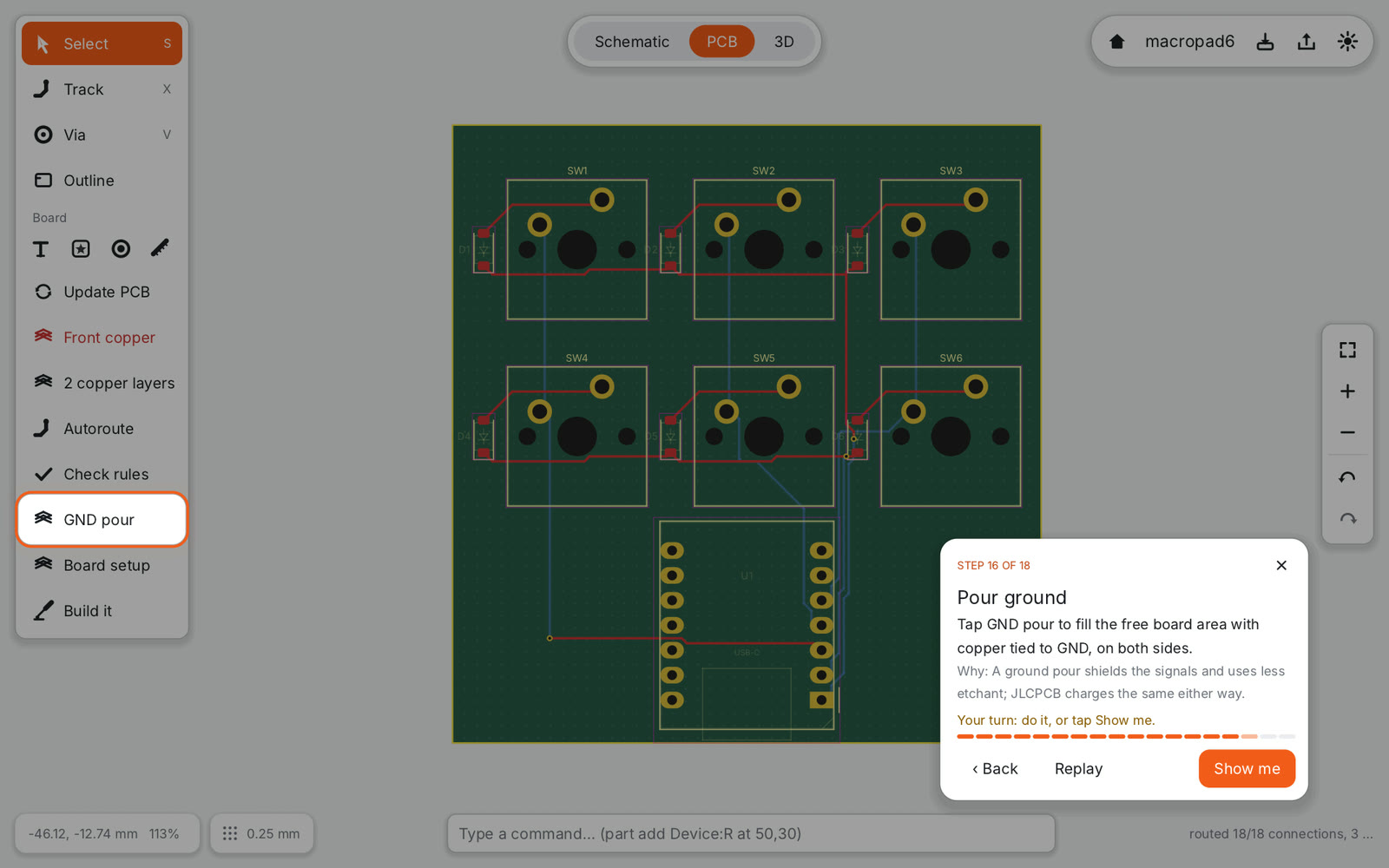
PCB Canvas is a circuit board editor built for the iPad first. It is for makers: people who design a keyboard, a sensor board or an LED controller a few times a year and want to get from idea to a factory order without fighting the tool.
Desktop PCB software assumes a mouse, a keyboard full of shortcuts and a big monitor. On an iPad that falls apart. So instead of shrinking a desktop app, PCB Canvas starts from touch and the Apple Pencil, and keeps everything a real board needs: a schematic, design rules, copper pours, manufacturing files.
Pencil draws, fingers navigate#
On the canvas the Pencil does the work: it places parts, draws wires and tracks, drags outlines. Your fingers move the view: drag to pan, pinch to zoom, two-finger tap to undo and three-finger tap to redo. A quick finger tap selects. Because the two never compete, you can rest your hand on the screen and draw.
Hover with an Apple Pencil Pro or a recent iPad Pro shows a marker exactly where the next point will snap, before the tip touches the glass. Double-tap or squeeze on the Pencil switches back to the previous tool, following the preference you set in iPadOS.
Without a Pencil nothing changes: a finger or the mouse on the Mac draws, and the app only splits the roles once it has seen a Pencil.
Three modes, like Shapr3D#
The top of the screen has one pill with three modes: Schematic, PCB and 3D. The layout borrows from Shapr3D, the CAD app that showed how professional design can feel on an iPad: tools in a column on the left that adapts to the selection, view controls on the right, values edited right on the canvas.
- Schematic: place parts from the component column, wire them, name nets with labels and run the schematic check.
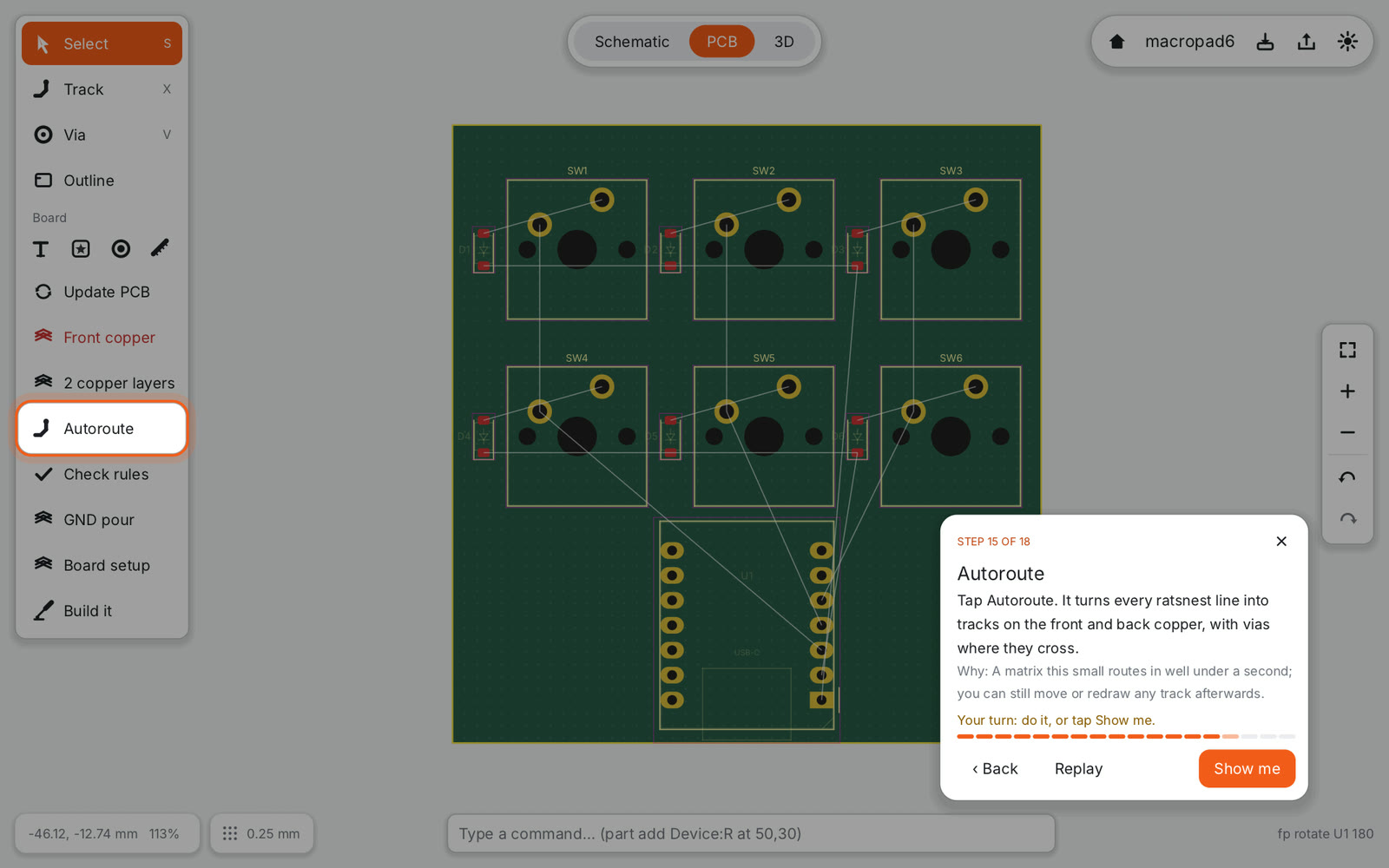
- PCB: Update PCB turns the schematic into footprints with ratsnest lines. Moving from schematic to board is a deliberate step: when the schematic changes, an orange marker tells you the board is out of date.
- 3D: the board with real part models, to check that the USB connector sits at the edge and the switches line up.
Your KiCad libraries work#
PCB Canvas reads KiCad symbol and footprint libraries (.kicad_sym, .kicad_symdir and .pretty folders, from KiCad 5 to 10) and their 3D models. The app ships with a curated base library taken from the official KiCad libraries plus keyboard switches from kiswitch, with LCSC part numbers for the parts JLCPCB can assemble.
Projects use their own file format: plain text, readable and friendly to git. If you want to finish a board in KiCad, export a .kicad_pcb. Importing KiCad projects is not planned; the goal is library compatibility, not a KiCad clone.
Ready for JLCPCB#
The default design rules are JLCPCB’s manufacturing limits, so the rule check tells you what the factory would reject. When the board is clean, the order review shows:
- a preview rendered from the Gerber files themselves, so you see exactly what the factory gets;
- the bill of materials with JLCPCB prices and stock;
- the placement file for assembly.
Then Export files writes Gerber X2, Excellon drill, BOM and CPL files ready to upload.
Everything is a command#
Every action in the app is also a text command, like part add Device:R at 50,30 value 10k. The command field at the bottom runs them, the same commands drive undo, the test suite and the tutorials. That is how the tutorials can replay inside the real editor, and why the screenshots in this blog are rendered by the app itself.
What is next#
The app is in development for iPad and Mac. The first tutorial, a 6-key macropad, works end to end, and four ESP32 example boards pass the schematic and design rule checks with every connection routed. Follow this blog or the Atom feed for the first release.